Elasticsearch Vector Database: Ship in minutes, scale affordably to hundreds of billions
The hard parts of hybrid retrieval, already done. Optimized defaults, third-party and native Jina AI models, and managed GPU inference are all available out of the box. Build fast, scalable AI apps, not infrastructure.

What should your vector database do for you?




Elasticsearch Vector Database: More than just vectors, loved by developers
No gaps or compromises. Optimized defaults. Hybrid retrieval. Everything works together, because it was built this way.

One call, that's all: Zero to vector search in minutes
Get started with Elasticsearch Vector Database. The fastest path to vector search with defaults for vector workloads, hybrid search, and your choice of generating embeddings or bringing your own.
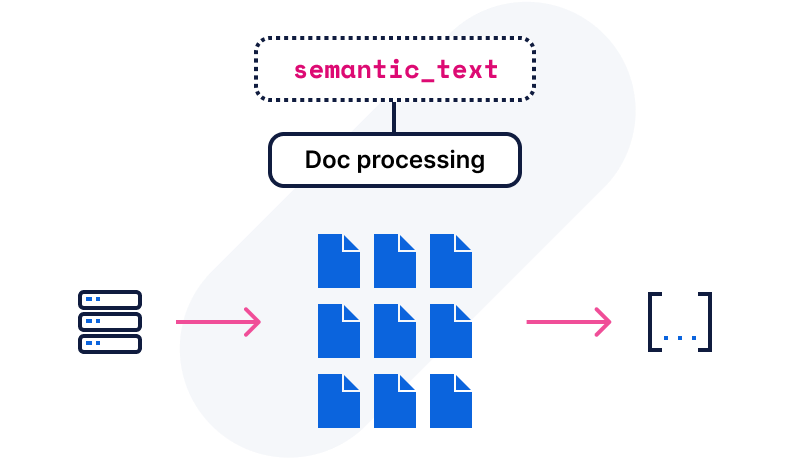
Bring your content and let us handle the rest.
from elasticsearch import Elasticsearch

client = Elasticsearch(
   "https://xyz.elastic.cloud:443",
   api_key="..",

)

client.indices.create(
   index="my_semantic_vectors",
   mappings={
       "properties": {
           "content": {"type": "text", "copy_to": "semantic_content"},
           "semantic_content": {"type": "semantic_text"},
       }
   },
)

client.bulk(
   operations=[
       {"index": {"_index": "my_semantic_vectors"}},

       {"content": "Yellowstone National Park spans Wyoming, Montana, and Idaho, covering over 2.2 million acres. It is famous for the geyser Old Faithful and sits atop the Yellowstone Caldera, a supervolcano."},

       {"index": {"_index": "my_semantic_vectors"}},

       {"content": "Yosemite National Park covers over 750,000 acres in California. A UNESCO World Heritage Site, it is best known for its granite cliffs, waterfalls, and giant sequoia trees."},

       {"index": {"_index": "my_semantic_vectors"}},

       {"content": "Rocky Mountain National Park is known for its mountainous terrain, including Longs Peak, the highest in the park. It is a popular destination for hiking, camping, and wildlife viewing."},
   ],
)
from elasticsearch import Elasticsearch

client = Elasticsearch(
   "https://xyz.elastic.cloud:443",
   api_key="..",

)

client.indices.create(
   index="my_semantic_vectors",
   mappings={
       "properties": {
           "content": {"type": "text", "copy_to": "semantic_content"},
           "semantic_content": {"type": "semantic_text"},
       }
   },
)

client.bulk(
   operations=[
       {"index": {"_index": "my_semantic_vectors"}},

       {"content": "Yellowstone National Park spans Wyoming, Montana, and Idaho, covering over 2.2 million acres. It is famous for the geyser Old Faithful and sits atop the Yellowstone Caldera, a supervolcano."},

       {"index": {"_index": "my_semantic_vectors"}},

       {"content": "Yosemite National Park covers over 750,000 acres in California. A UNESCO World Heritage Site, it is best known for its granite cliffs, waterfalls, and giant sequoia trees."},

       {"index": {"_index": "my_semantic_vectors"}},

       {"content": "Rocky Mountain National Park is known for its mountainous terrain, including Longs Peak, the highest in the park. It is a popular destination for hiking, camping, and wildlife viewing."},
   ],
)
Build with Elasticsearch Vector Database


Vector DB, and the rest of what you actually need
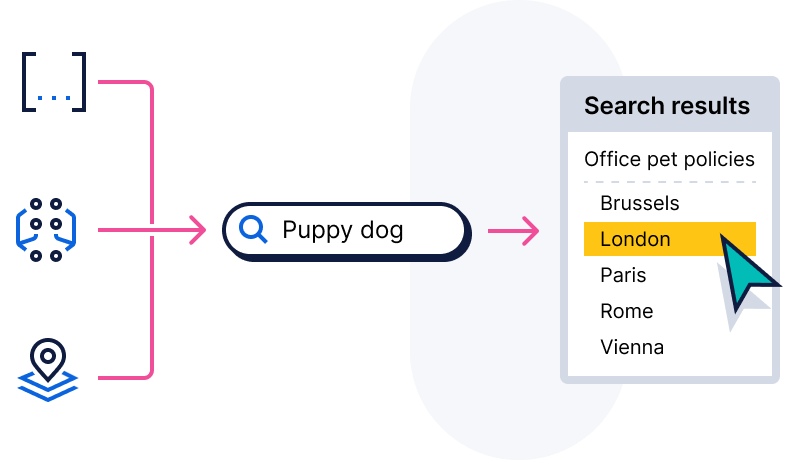
Real-world vector search needs more than vectors. Combine semantic search with filters, security, structured fields, and BM25 ranking in a single query, no stitching required.

A high-quality neighborhood
From prompt to product, how teams are building with Elasticsearch Vector Database.
Customer spotlight

FRAIM uses Elasticsearch to build a knowledge search platform for the AI era, natively consolidating text and vector search to cut its overall search platform costs by over 50% and significantly accelerate the development of RAG and AI agents.
Customer spotlight

WP Engine uses Elasticsearch to bring AI innovation to WordPress websites, leveraging native Google Cloud integrations to reduce AI feature development time from weeks to hours and deliver 5ms search response times with zero downtime.
Customer spotlight

Adobe scales, manages multiple use cases, and puts machine learning features to work with Elastic.
Results, by the numbers
Elasticsearch Vector Database performance benchmarks and results.



Get started: Resources for every stage of the build
Ingest, parse, and index
Embed
Retrieve
Dev tools
Embed
Retrieve
Dev tools
Frequently asked questions
What is a vector database and how does it work?
What is a vector database and how does it work?
A vector database stores information as vectors, which are numerical representations of data objects, also known as vector embeddings. It uses vector embeddings for multimodal search across a massive dataset of structured, unstructured, and semi-structured data, such as images, text, videos, and audio. Vector databases are built to manage vector embeddings and therefore offer a complete solution for data management.
What are vector embeddings?
What are vector embeddings?
Vector embeddings use a machine learning model to translate text into numbers, allowing you to perform vector searches. By converting data into vectors, embeddings make it easier to compare, search, and analyze similarities between items in this space.
What are the benefits of a vector database?
What are the benefits of a vector database?
A vector database offers efficiency at scale by enabling seamless data migration across on-premises, air-gapped, and sovereign cloud environments and providing storage for vector embeddings.
Vector databases excel at similarity search, allowing you to find related items easily, which is essential for recommendation systems, image search, and content discovery. With semantic search capabilities, they go beyond simple keyword matching to deliver results based on meaning and context. By storing vector embeddings, they support AI and machine learning applications, making it easier to deploy natural language processing (NLP) and recommendation models.
Is Elasticsearch a vector database?
Is Elasticsearch a vector database?
Yes, Elasticsearch is the world's most widely deployed, open source vector database, offering you an efficient way to create, store, and search vector embeddings at scale. With Elastic's enterprise-ready vector database, you achieve fast query times and optimal performance, even with rapidly changing data. Built to scale, it delivers relevant, personalized search results while simplifying development processes.
Why choose Elastic as your vector database?
Why choose Elastic as your vector database?
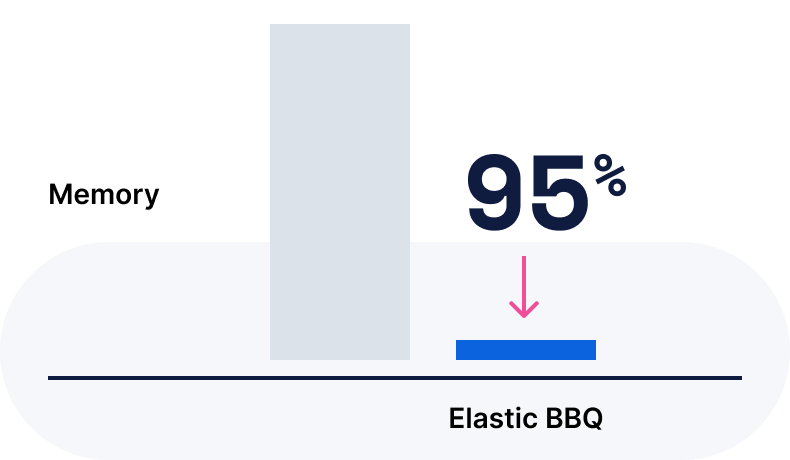
Elasticsearch is the world's most downloaded vector database, purpose-built to help developers deliver high-precision search and scalable AI experiences faster and at lower costs. Elasticsearch Vector Database handles the hard parts of hybrid retrieval with optimized defaults, native Jina AI and third-party models, and managed GPU inference, all out of the box. Run vector and keyword search across text, image, and multimodal data on a single index, with no embedding pipeline to build or maintain. It ships pre-tuned for vector workloads, delivering high-performance, absorbing traffic spikes automatically and scaling back when demand drops. Get the security, RBAC, and recovery paths you expect, so you build apps, not infrastructure.
Can I run Elasticsearch as an on-premises or air-gapped vector database?
Can I run Elasticsearch as an on-premises or air-gapped vector database?
Yes. Elasticsearch is fully deployable on-premises — on bare metal, in a private cloud, or in completely air-gapped networks with no external connectivity. Government agencies, defense contractors, and regulated enterprises use Elastic Cloud Enterprise (ECE) to orchestrate on-premises Elasticsearch clusters at scale, including in classified and disconnected environments. All vector search, hybrid search, and RAG capabilities available on Elastic Cloud are equally available in on-premises deployments.