PostgreSQL OpenTelemetry Assets
| Version | 0.3.0
|
| Subscription level What's this? |
Basic |
| Developed by What's this? |
Elastic |
| Minimum Kibana version(s) | 9.3.0 |
To use pre-release integrations, go to the Integrations page in Kibana, scroll down, and toggle on the Display beta integrations option.
PostgreSQL is an open-source object-relational database management system known for its extensibility, standards compliance, and reliability. It handles ACID-compliant transactions with MVCC, making it suitable for concurrent workloads ranging from single-node deployments to large-scale OLTP/OLAP systems.
This content pack provides dashboards, alert rules, and SLO templates for PostgreSQL monitoring. The assets use metrics and events from the OpenTelemetry PostgreSQL receiver (postgresqlreceiver) and cover connection capacity, transaction throughput, query performance, I/O health, lock contention, and active query analysis.
The PostgreSQL OpenTelemetry assets have been tested with:
- OpenTelemetry PostgreSQL receiver v0.145.0
- PostgreSQL 16.13
You need Elasticsearch for storing and searching your data and Kibana for visualizing and managing it. You can use our hosted Elasticsearch Service on Elastic Cloud, which is recommended, or self-manage the Elastic Stack on your own hardware.
Before collecting data, you must configure PostgreSQL to allow the collector to connect and gather metrics. Create a dedicated user with read access to monitoring views:
CREATE USER otel WITH PASSWORD 'your_password';
GRANT pg_monitor TO otel;
GRANT SELECT ON pg_stat_database TO otel;
GRANT SELECT ON pg_stat_activity TO otel;
For top-query statistics (db.server.top_query events) and query samples (db.server.query_sample), enable the pg_stat_statements extension:
CREATE EXTENSION IF NOT EXISTS pg_stat_statements;
Grant the monitoring user access to pg_stat_statements:
GRANT SELECT ON pg_stat_statements TO otel;
Configure the OpenTelemetry Collector (or Elastic OpenTelemetry Collector) to receive PostgreSQL metrics and events and export them to Elasticsearch. The following example uses the postgresqlreceiver with the elasticsearch/otel exporter.
Placeholders
| Placeholder | Description | Example |
|---|---|---|
<POSTGRES_ENDPOINT> |
PostgreSQL server address and port | localhost:5432 |
<POSTGRES_USER> |
PostgreSQL username for the collector | otel |
<ES_ENDPOINT> |
Elasticsearch ingest endpoint | https://my-deployment.es.us-central1.gcp.cloud.es.io:9243 |
${env:POSTGRES_PASSWORD} |
PostgreSQL password (use an environment variable) | — |
receivers:
  postgresql:
    endpoint: <POSTGRES_ENDPOINT>
    username: <POSTGRES_USER>
    password: ${env:POSTGRES_PASSWORD}
    databases: [postgres]
    # Omit databases or list multiple to scrape all desired databases
    metrics:
      postgresql.blks_hit:
        enabled: true
      postgresql.blks_read:
        enabled: true
      postgresql.database.locks:
        enabled: true
      postgresql.deadlocks:
        enabled: true
      postgresql.sequential_scans:
        enabled: true
      postgresql.temp_files:
        enabled: true
      postgresql.temp.io:
        enabled: true
      postgresql.tup_deleted:
        enabled: true
      postgresql.tup_fetched:
        enabled: true
      postgresql.tup_inserted:
        enabled: true
      postgresql.tup_returned:
        enabled: true
      postgresql.tup_updated:
        enabled: true
      postgresql.wal.delay:
        enabled: true
      postgresql.function.calls:
        enabled: true
    events:
      db.server.query_sample:
        enabled: true
      db.server.top_query:
        enabled: true
    query_sample_collection:
      max_rows_per_query: 100
    top_query_collection:
      max_rows_per_query: 100
      top_n_query: 200
      max_explain_each_interval: 1000
      query_plan_cache_size: 1000
      query_plan_cache_ttl: 1h

exporters:
  elasticsearch/otel:
    endpoints: [<ES_ENDPOINT>]
    mapping:
      mode: otel

service:
  pipelines:
    metrics/postgresql:
      receivers: [postgresql]
      exporters: [elasticsearch/otel]
    logs/postgresql:
      receivers: [postgresql]
      exporters: [elasticsearch/otel]
If you do not need query sample or top-query event collection, you can disable query_sample_collection and top_query_collection in the receiver config. The metrics pipeline will continue to work.
Refer to the metadata.yaml of the OpenTelemetry PostgreSQL receiver for details on available metrics.
The postgresqlreceiver emits event logs from pg_stat_activity (db.server.query_sample) and pg_stat_statements (db.server.top_query). Events are stored in logs-postgresqlreceiver.otel-* and distinguished by the event_name field. Query samples include real-time execution time, backend state, and wait events; top-query events provide aggregated statistics per normalized query.
| Dashboard | Description |
|---|---|
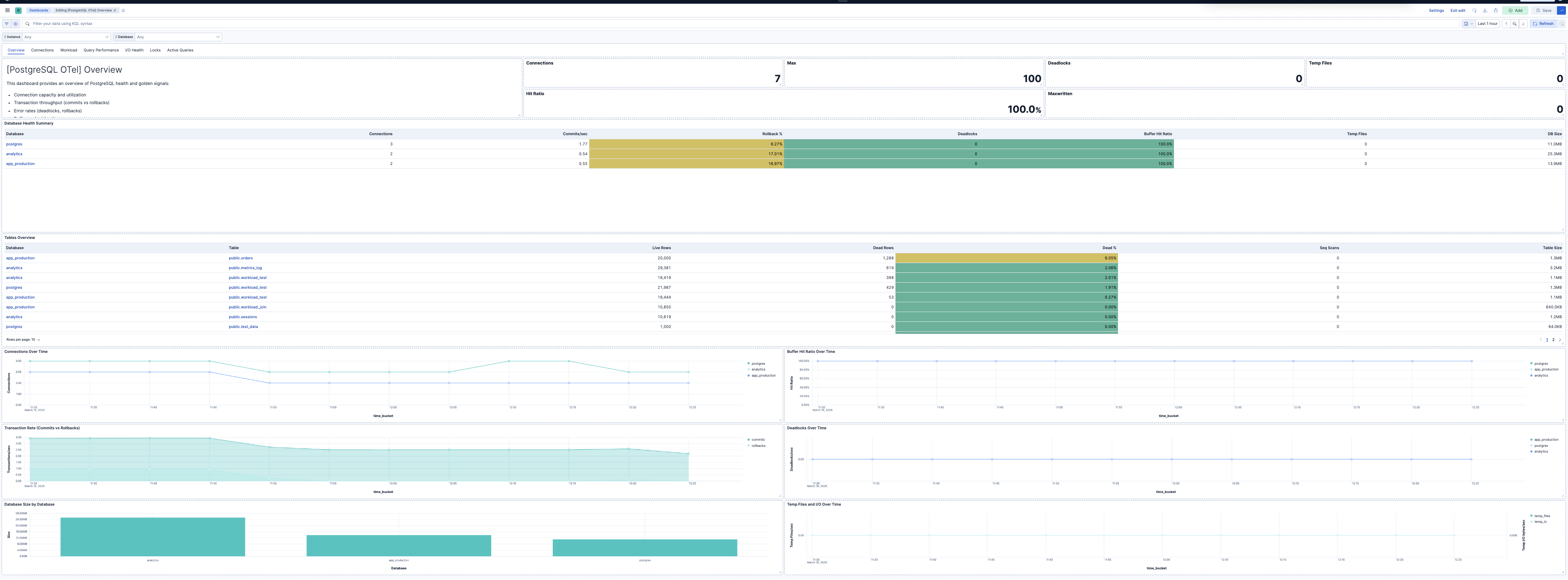
| [PostgreSQL OTel] Overview | Overview of PostgreSQL health and golden signals: connection capacity, transaction throughput, errors, buffer cache efficiency, and capacity. |
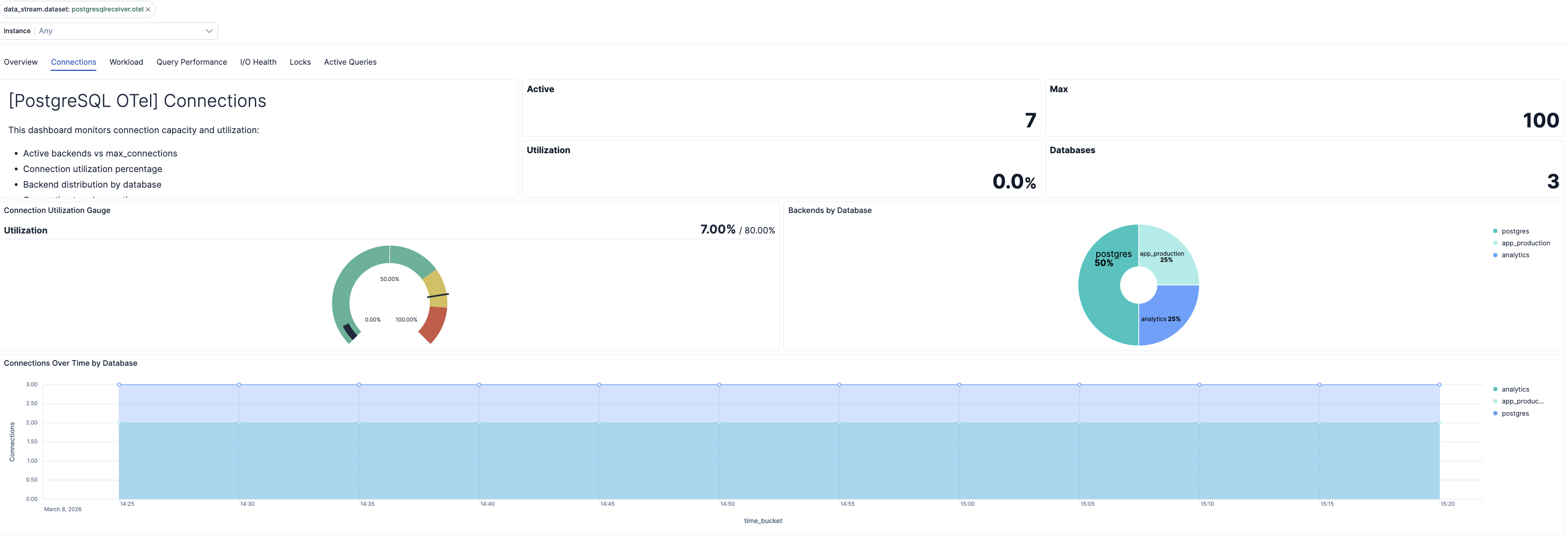
| [PostgreSQL OTel] Connections | Connection capacity, utilization, and backend distribution per database. |
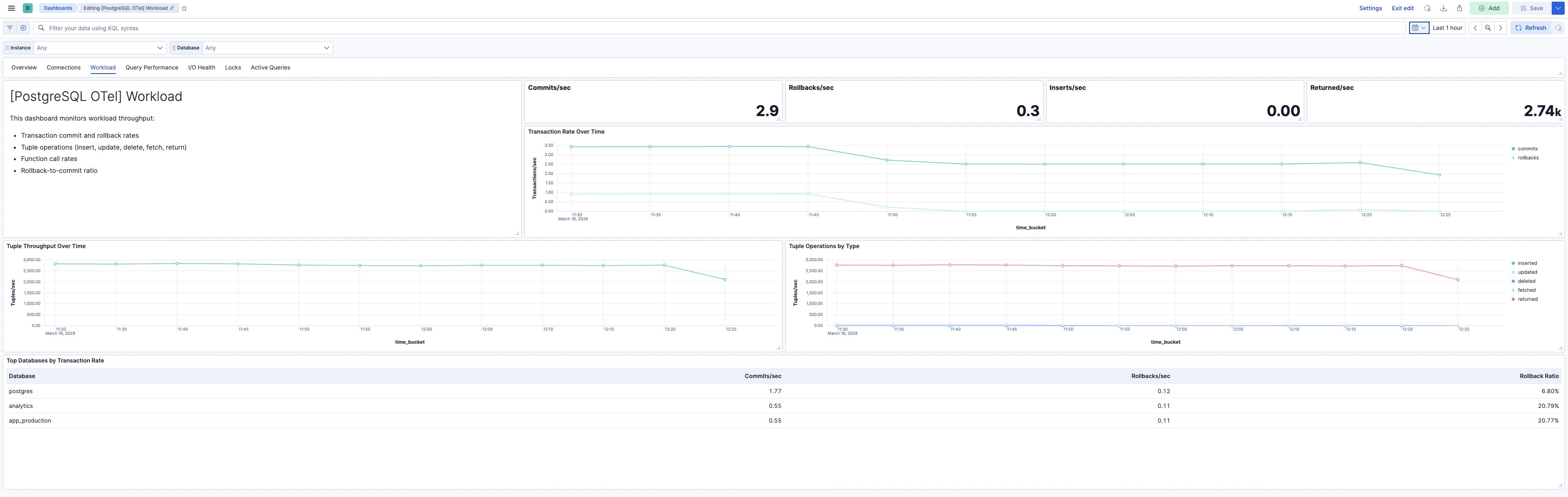
| [PostgreSQL OTel] Workload | Transaction throughput, tuple operations, and function call rates. |
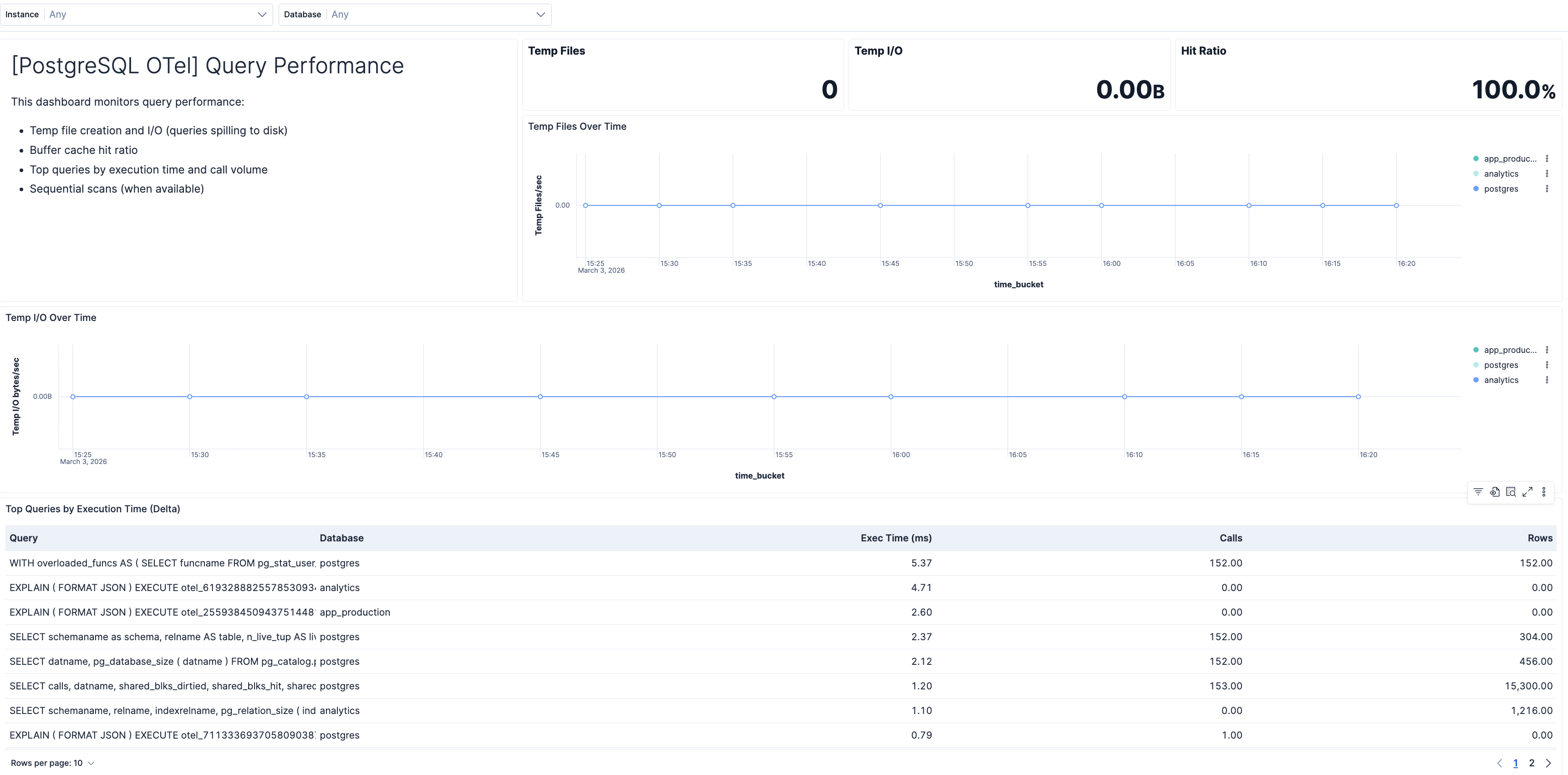
| [PostgreSQL OTel] Query Performance | Query execution times, top queries from pg_stat_statements, temp file usage, and sequential scan rates. |
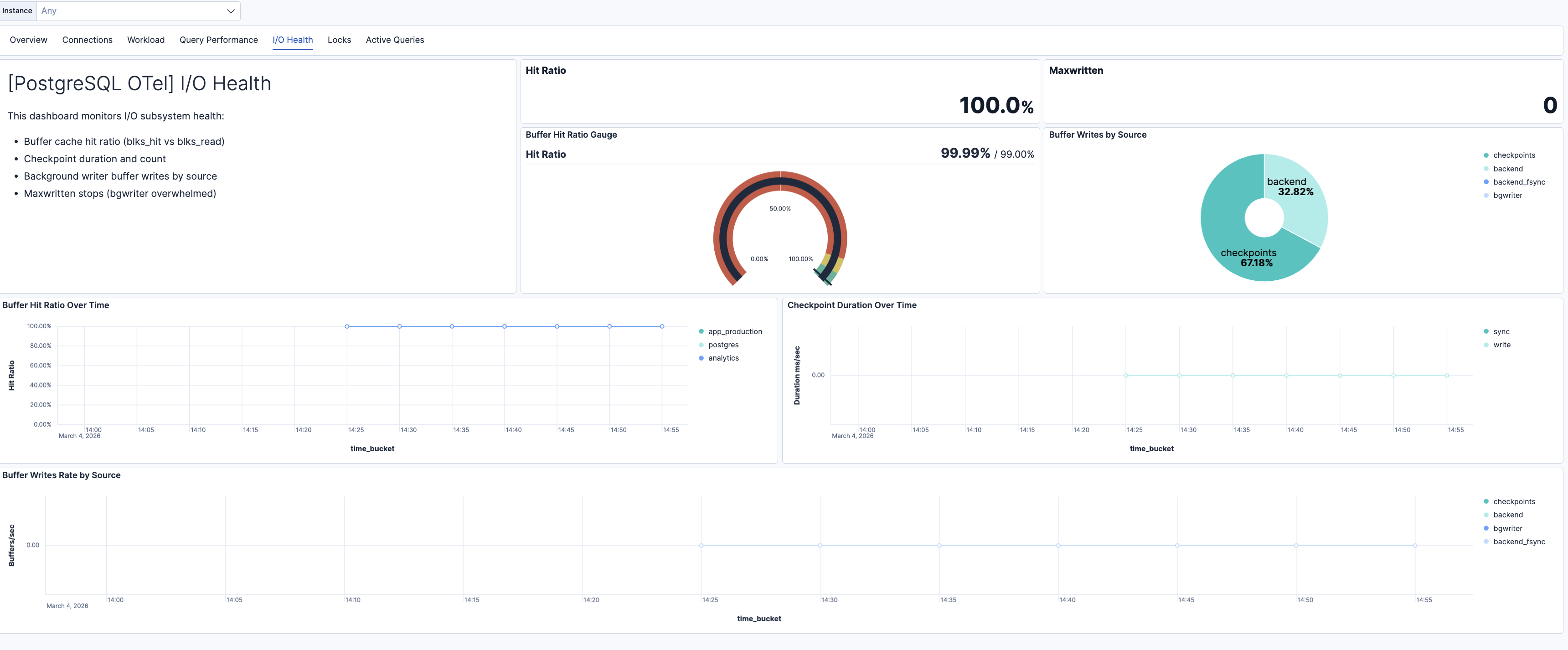
| [PostgreSQL OTel] I/O Health | Buffer cache hit ratio, checkpoint duration, background writer efficiency, and buffer writes by source. |
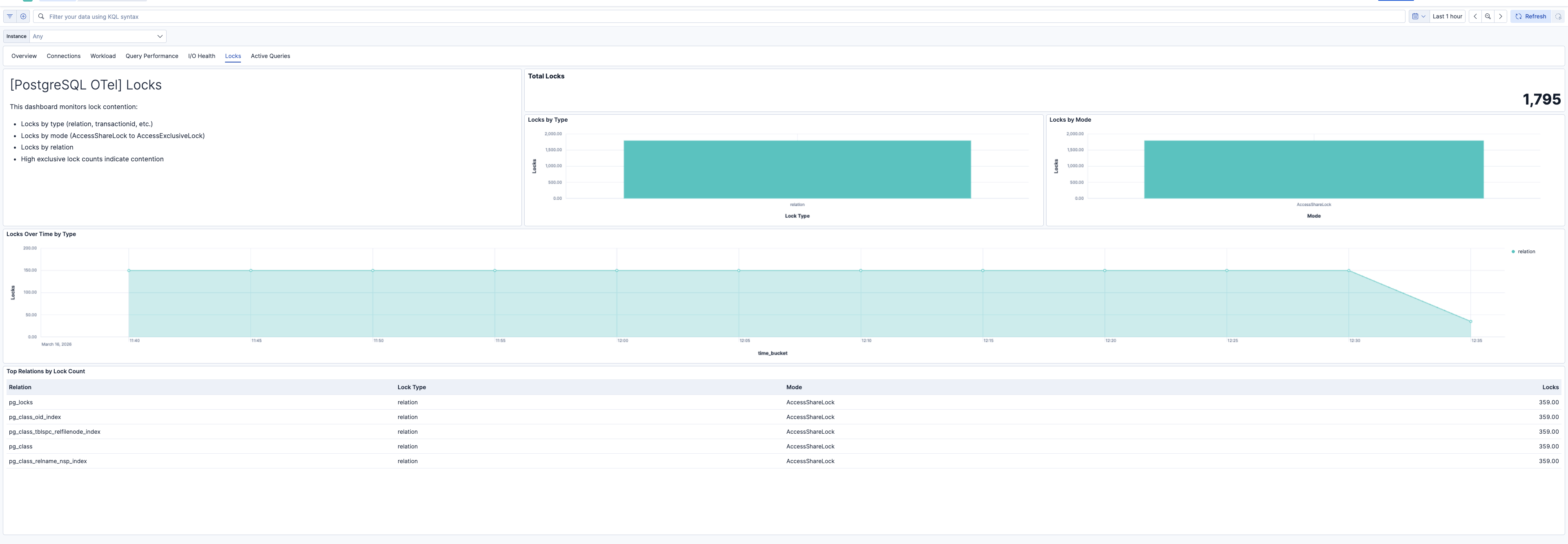
| [PostgreSQL OTel] Locks | Database locks by type, mode, and relation. High exclusive lock counts indicate contention. |
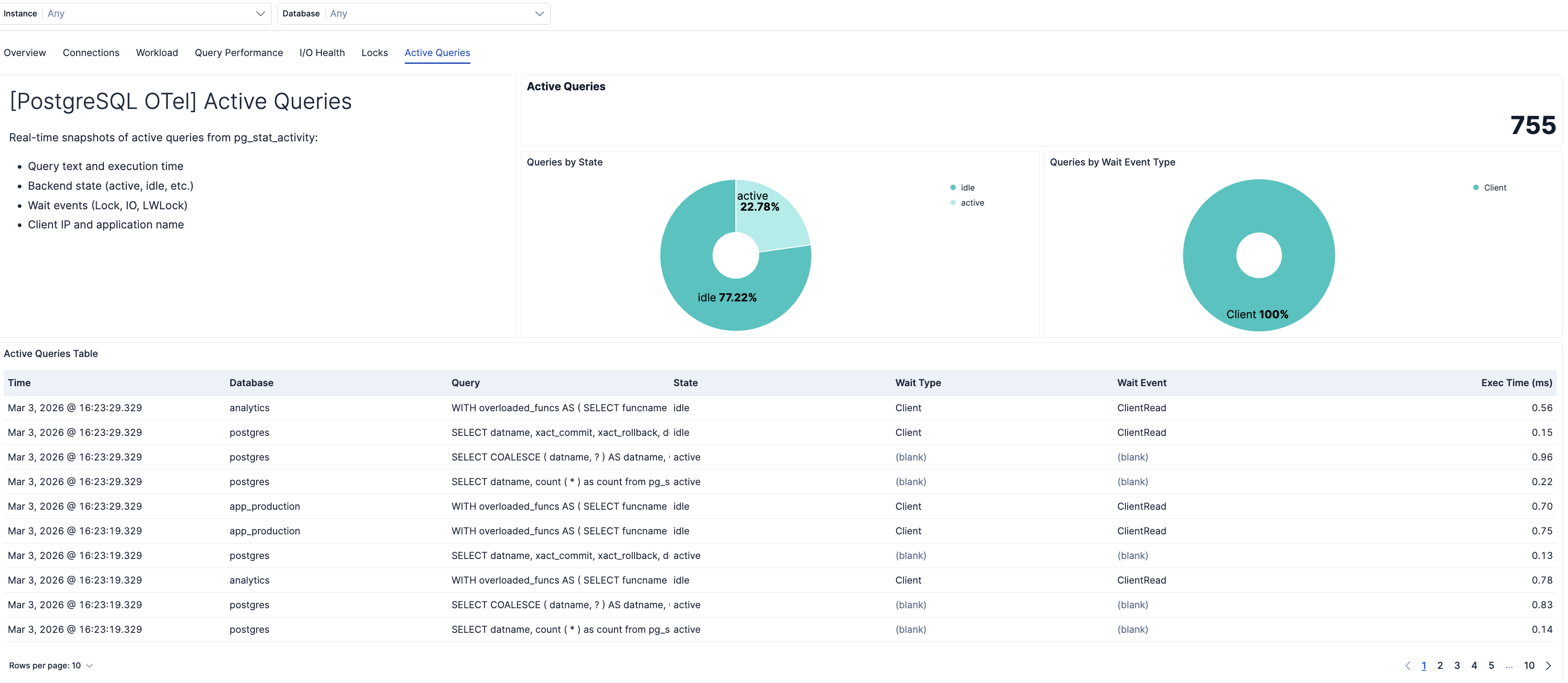
| [PostgreSQL OTel] Active Queries | Real-time snapshots of active queries from pg_stat_activity. Shows wait events, execution time, and state. |
| Alert | Trigger | Severity |
|---|---|---|
| [PostgreSQL OTel] Connection utilization high | Connection utilization exceeds 80% of max_connections per instance. | Critical |
| [PostgreSQL OTel] Deadlocks detected | Any increase in deadlock count per instance and database. | Critical |
| [PostgreSQL OTel] High rollback rate | Rollback rate exceeds 1% of commits plus rollbacks per database. | High |
| [PostgreSQL OTel] Temp files created | Queries creating temp files (spilling to disk) per instance and database. | Medium |
| [PostgreSQL OTel] High temp I/O volume | Temp I/O bytes exceed 100 MB in the evaluation window per database. | Medium |
| [PostgreSQL OTel] Low buffer hit ratio | Buffer cache hit ratio below 99% per database. | High |
| [PostgreSQL OTel] Long checkpoint duration | Total checkpoint duration exceeds 30 seconds in the window per instance. | Medium |
| [PostgreSQL OTel] Bgwriter maxwritten stops | Background writer stopped due to writing too many buffers per instance. | Medium |
| [PostgreSQL OTel] Backend buffer writes high | Backend-originated buffer writes exceed 100 in the window per instance. | Medium |
| [PostgreSQL OTel] Long-running queries | Active queries running longer than 5 minutes from pg_stat_activity. | High |
| [PostgreSQL OTel] Slow top queries | Top queries with total execution time exceeding 10 seconds in the window. | Medium |
| [PostgreSQL OTel] Exclusive lock contention | ExclusiveLock or AccessExclusiveLock count exceeds 5 per instance. | High |
| [PostgreSQL OTel] Queries waiting on locks | Query samples with Lock wait event type indicate blocked queries. | High |
| [PostgreSQL OTel] High sequential scans | Sequential scan count exceeds 1000 in the window per database. | Warning |
SLO templates require Elastic Stack version 9.4.0 or later.
| SLO | Target | Window | Description |
|---|---|---|---|
| [PostgreSQL OTel] Average query latency 99.5% rolling 30 days | 99.5% | 30-day rolling | Average per-query execution time below 200 ms for 99.5% of 1-minute intervals to maintain responsive database performance. |
| [PostgreSQL OTel] Connection availability 99.5% rolling 30 days | 99.5% | 30-day rolling | Connection utilization below 80% for 99.5% of 1-minute intervals to prevent connection exhaustion. |
| [PostgreSQL OTel] Buffer cache hit ratio 99.5% rolling 30 days | 99.5% | 30-day rolling | Buffer cache hit ratio above 99% for 99.5% of 1-minute intervals to maintain efficient I/O and query performance. |
| [PostgreSQL OTel] Transaction rollback ratio 99.5% rolling 30 days | 99.5% | 30-day rolling | Transaction rollback ratio below 1% for 99.5% of 1-minute intervals to maintain transaction reliability and data integrity. |
This integration includes one or more Kibana dashboards that visualizes the data collected by the integration. The screenshots below illustrate how the ingested data is displayed.
Changelog
| Version | Details | Minimum Kibana version |
|---|---|---|
| 0.3.0 | Enhancement (View pull request) Add dashboards and add SLO, alert assets |
9.3.0 |
| 0.2.1 | Bug fix (View pull request) Update control group reference in PostgreSQL OTel dashboard |
9.2.0 |
| 0.2.0 | Enhancement (View pull request) Add discovery field to support auto-install |
9.2.0 |
| 0.1.1 | Enhancement (View pull request) Add opentelemetry category |
9.1.0 |
| 0.1.0 | Enhancement (View pull request) First release of the PostgreSQL OTel Assets. |
9.1.0 |